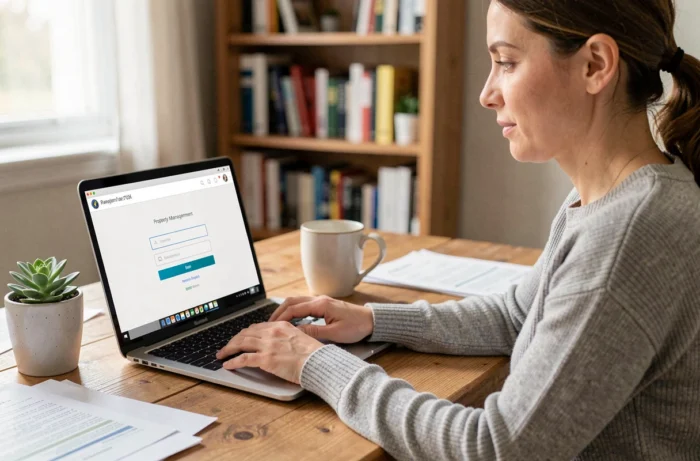
MyFoncia brings together in one client space the documents, calls for funds, and payment tracking for tenants, co-owners, and landlord owners managed by Foncia. However, between the provisional identifier provided by the agency and the phishing attempts targeting the platform, creating and securing the account is not just about filling out a form. What parameters truly protect access to your real estate data online?
MyFoncia Provisional Identifier: Three Documents, Three Distinct Channels
The procedure for the first connection depends on your status with Foncia. The provisional identifier is not found in the same place depending on whether you are a tenant, co-owner, or landlord owner. This difference generates the majority of reported blocks.
| Profile | Document Containing the Identifier | Channel of Receipt |
|---|---|---|
| Tenant | Welcome email (lease signature) | Email address declared in the lease |
| Co-owner | Call for funds | Postal mail or syndic space |
| Landlord owner | Management report | Postal mail or agency email |
The tenant has an advantage: their identifier arrives by email, so it can be accessed immediately. In contrast, the co-owner and landlord owner must find a paper document or a PDF that may have been archived for several months.
If the provisional identifier is not found, the only solution is to contact the customer service of your Foncia agency. No automated procedure allows you to regenerate this identifier from the login page.
For those who want to create an account on MyFoncia without wasting time, checking the availability of this document before any attempt avoids unnecessary back-and-forth with the agency.
Password and Email Validation: The Two Locks of MyFoncia Activation
After entering the provisional identifier, MyFoncia triggers a two-step process that conditions permanent access to the account.
Mandatory Email Confirmation
The system sends a confirmation email to the address registered by the agency. The email often arrives in spam or junk folders. If the address displayed on the screen is incorrect, you cannot change it yourself: you must go through customer service.
By clicking on the confirmation link, you access the screen to create the permanent password. This link has a limited validity period. After this period, you must restart the procedure from the first connection page.
MyFoncia Password Requirements
The permanent password must meet three cumulative criteria:
- Minimum of six lowercase letters, which excludes short passwords like “Abc1” that are still common
- At least one uppercase letter, positioned anywhere in the string
- At least one digit, which raises the minimum complexity above a simple dictionary word
These requirements remain modest compared to current security standards. A password that meets the minimum requirement (seven characters in total) remains vulnerable to brute force attacks. Favoring a passphrase of at least twelve characters with special characters significantly strengthens protection.
MyFoncia Phishing: An Operational Risk Not to Be Underestimated
Competing guides detail the registration procedure but quickly overlook the main threat facing accounts once activated: targeted phishing.
Foncia never asks for identifiers by email or SMS. This rule, reiterated in prevention communications published in 2026, serves as the first filter to spot a fraudulent message. Any email inviting you to “confirm your identifiers” or “update your password” via a link outside the foncia.com domain should be considered suspicious.
Several signals help distinguish legitimate messages from phishing attempts:
- Check that the destination URL starts with fr.foncia.com or myfoncia.fr, not with a similar domain (myf0ncia, foncia-client, etc.)
- Never click on a link received by SMS claiming to be from Foncia: the platform does not communicate through this channel for managing identifiers
- Report any suspicious email directly to the agency or through Foncia’s official channels
The connection history available in the client space allows you to detect suspicious activity. Regularly checking the list of recent connections helps identify unauthorized access before it causes damage (downloading documents, modifying banking information).

MyFoncia Mobile App: Everyday Management and Concrete Limits
The MyFoncia app, available on Google Play and the App Store, provides access to the same functions as the web version: document consultation, financial tracking, co-ownership or rental information. The Google Play listing indicates a update dated November 20, 2025, a sign of active maintenance of the mobile service.
Account activation on the app uses the same identifiers as the web version. No separate registration is necessary. You log in with the email and password set during the first connection on the site.
Note: the app does not replace contact with your agency for requests that require human validation (disputing charges, claiming a call for funds, modifying banking details). The online space centralizes information; it does not eliminate the physical contact person.
Verifications After Activation: What Truly Secures the Account
Once the account is active, three actions significantly reduce the risk of compromise.
The first: verify that the email address associated with the account is indeed an address that you exclusively control. A shared address (couple, family) multiplies uncontrolled access points. Any password reset will go through this address.
The second: activate connection notifications if the option is available in the account settings. Each alert received for a connection you did not initiate is a sign of intrusion.
The third: do not reuse the MyFoncia password on other online services. Data breaches regularly affect third-party platforms, and using the same password across multiple sites turns a single breach into access to all your accounts.
The MyFoncia account provides access to sensitive documents (rent receipts, calls for funds, management statements). These documents contain personal and financial data that can be exploited in the event of identity theft. Securing the account is not an administrative formality; it is a protective measure for your real estate data, just like an online bank account.