
The Professional Intranet for Flight Crew (IPN) of Air France centralizes the work tools for flight personnel: flight schedules, fleet documentation, internal communications. Since 2024, access conditions to this platform have changed with the strengthening of authentication protocols. The transition to SSO combined with PingID has concretely altered connection habits, and the functional separation between IPN, Intralignes, and EasyRH redistributes the scopes of each portal.
IPN Air France Authentication: What Has Changed Since 2024
Since 2024, multifactor authentication via PingID is now widespread across Air France’s internal portals, including IPN, Intralignes, and GPNet. Access no longer relies on a simple username/password combination.
Each connection now requires validation on the PingID mobile app or via a physical token. For commercial flight personnel (PNC) who connect multiple times a day between two rotations, this additional step directly impacts access time to tools.
GPNet, the portal dedicated to GP tickets for employees and beneficiaries, switched in March 2024 to a two-factor authentication combining Active Directory password and SMS code. Aligning all portals to this security standard reduces the risks of unauthorized access but requires keeping a work or personal phone handy during each session.
Those looking to access IPN Air France must first ensure that PingID is correctly configured on their device; otherwise, the connection will consistently fail.
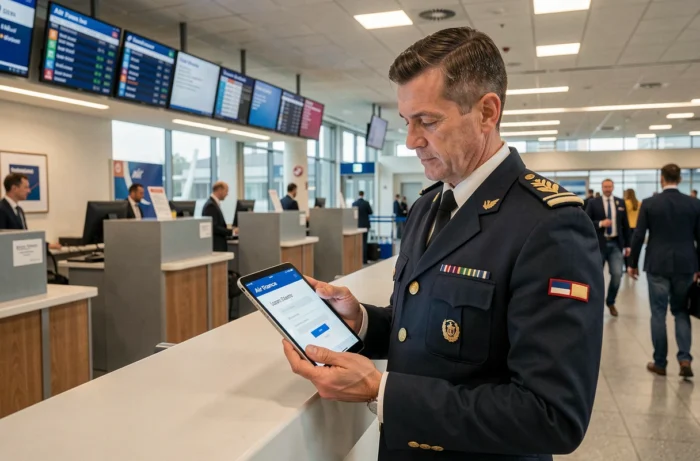
IPN, Intralignes, and EasyRH: Actual Scopes of Each Portal
A common confusion is to present IPN as a global platform providing access to all internal services of Air France. The reality is more fragmented.
IPN no longer provides access to sensitive HR functions. Pay slips, leave management, and bank details modification now fall under Intralignes and its EasyRH module. A PNC wishing to update their bank account details or view their pay slips must go through Intralignes and then navigate to EasyRH.
IPN remains focused on daily operational tools:
- Consultation and management of flight schedules, including upcoming assignments and rotations
- Access to technical documentation and fleet-related information
- Tracking of mandatory training and online professional development modules
- Internal communications from the company and memos
This separation means that a flight crew member uses at least two distinct portals during their workday. The credentials are the same (Air France Active Directory), but the access paths and interfaces differ.
Common Errors When Navigating Between Portals
Searching for a pay slip on IPN leads to a dead end. The link to EasyRH is found in Intralignes, not in IPN. Similarly, attempting to manage GP tickets from IPN redirects to GPNet, which has its own SMS code authentication process.
Three distinct portals cover three different functional scopes. Confusing their roles wastes time, especially during layovers between flights.
Resolving IPN Air France Connection Issues
The most reported access difficulties do not stem from a malfunction of the platform. They arise from PingID configuration issues or an expired Active Directory password.
- PingID not activated or desynchronized: the app must be linked to the Air France account via a QR code provided by the IT department. Changing phones requires reactivation
- Expired Active Directory password: the renewal policy requires regular changes. An expired password blocks access to all portals simultaneously (IPN, Intralignes, GPNet)
- Incompatible browser or overloaded cache: internal portals function properly on recent versions of Chrome and Edge. An overloaded cache can cause redirection loops during SSO authentication
The technical support of Air France handles these requests, but response times vary depending on the operational period. During peak season, processing can take from a few hours to several days depending on the IT department’s workload.
Preparing Your Connection Before Starting a Shift
Testing access to IPN from home the day before a rotation allows for identifying any potential blockages without the pressure of an imminent departure. This check takes a few minutes and prevents being without access to the schedule upon arriving at the airport.
Checking PingID and the Active Directory password before each rotation remains the most effective precaution. If the password is set to expire in the coming days, renewing it in advance eliminates the risk of blockage during layovers, far from a fixed workstation.

Service Quality and Current Limitations of the IPN Portal
IPN fulfills its role of centralizing operational tools for flight personnel. The interface remains functional for consulting schedules and flight documentation.
The limitations lie elsewhere. The proliferation of portals (IPN, Intralignes, EasyRH, GPNet) creates fragmentation that complicates the user journey. Each portal has its own navigation logic, and no unified dashboard allows for viewing all information (schedules, pay, tickets, training) on a single screen.
Air France continues to develop its internal digital tools. By 2026, the coexistence of several distinct platforms remains the norm for flight personnel.
The widespread adoption of multifactor authentication has enhanced access security. It has also added a layer of friction that, combined with navigating between portals, extends the time needed to complete simple administrative tasks. For flight personnel whose daily routine takes place between the cabin and layovers, every minute counts.